
Casazium Tank Command
Four tanks a side, an opponent that drives at you and shoots back, and a battlefield that is different every time you press F5. A real-time-strategy prototype built in Godot, free to download for macOS, Windows and Linux.
Free, no account, no telemetry. The builds are unsigned, so macOS and Windows will block the first launch — here is how to get past that.
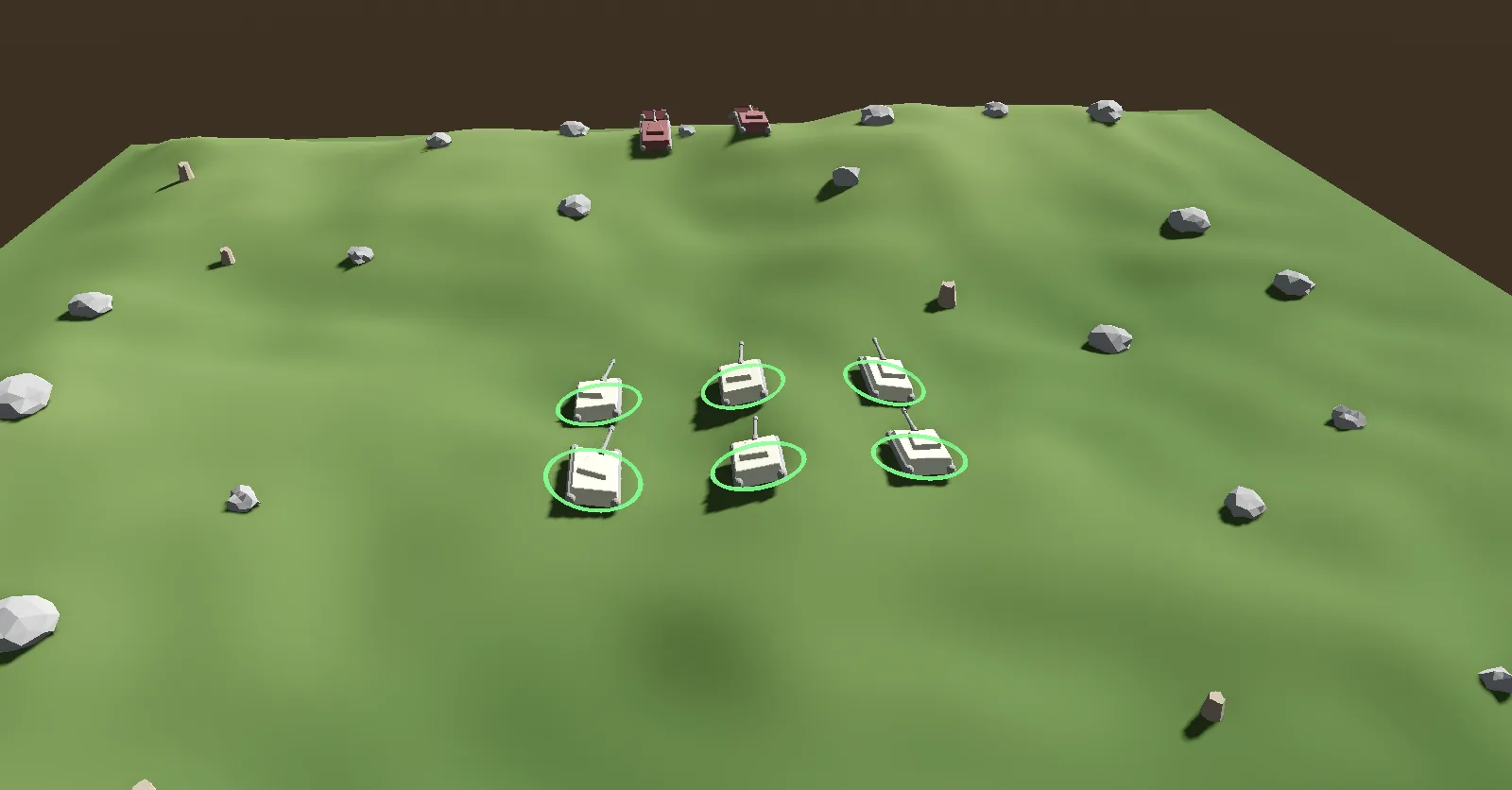
AI vs AI because this is
the computer playing itself — the mode described below — which is why nothing here is
selected.
What this is
A prototype of the parts of a real-time-strategy game that are hard to fake: terrain that generates itself, units that find their own way across it, and gunnery that solves for a firing solution instead of pretending to. You get four tanks on a 128-meter battlefield, four enemy tanks under a commander that fights back, and a new map whenever you want one. It was built to find out whether those pieces could be made to work together, and they can.
There is now something to lose. The enemy heads for your nearest tank, closes until it has a clear line, and fires. How straight it shoots and how far out it engages depend on the difficulty. It does not scout, flank or retreat — its repertoire is small and you will learn it quickly, though that no longer means you will always see it coming. It will still beat a player who sits still.
A round now begins with your four tanks waiting to be placed anywhere in your own half, and nothing moves or shoots until you say so. Once it starts you see only what your tanks can see: the ground is always drawn, but a tank behind a ridge is not there to you, and the same is true in reverse — the opposition is looking through the same filtered view of you. Where you choose to begin was always the most consequential thing in a match. It is now the first thing you decide rather than the one thing you did not.
It is still a prototype. There is no menu and no multiplayer, and nothing is saved between runs. There are now three difficulty settings, and against a player who stands and does nothing the opposition lands 8% of its shots on Easy, 22% on Normal and 30% on Hard — a genuinely passive baseline now that your own tanks return fire unprompted, and still a figure from an AI-versus-AI harness rather than from players. One person has played this version for a few minutes; whether it is any good is still an open question. Here is what it does; judge it yourself.
Screenshots
Both from the same match, which played out on its own rather than being set up for the camera. They predate this version, so neither shows the deployment phase or a ghost marker; the terrain and the tanks look exactly like this.
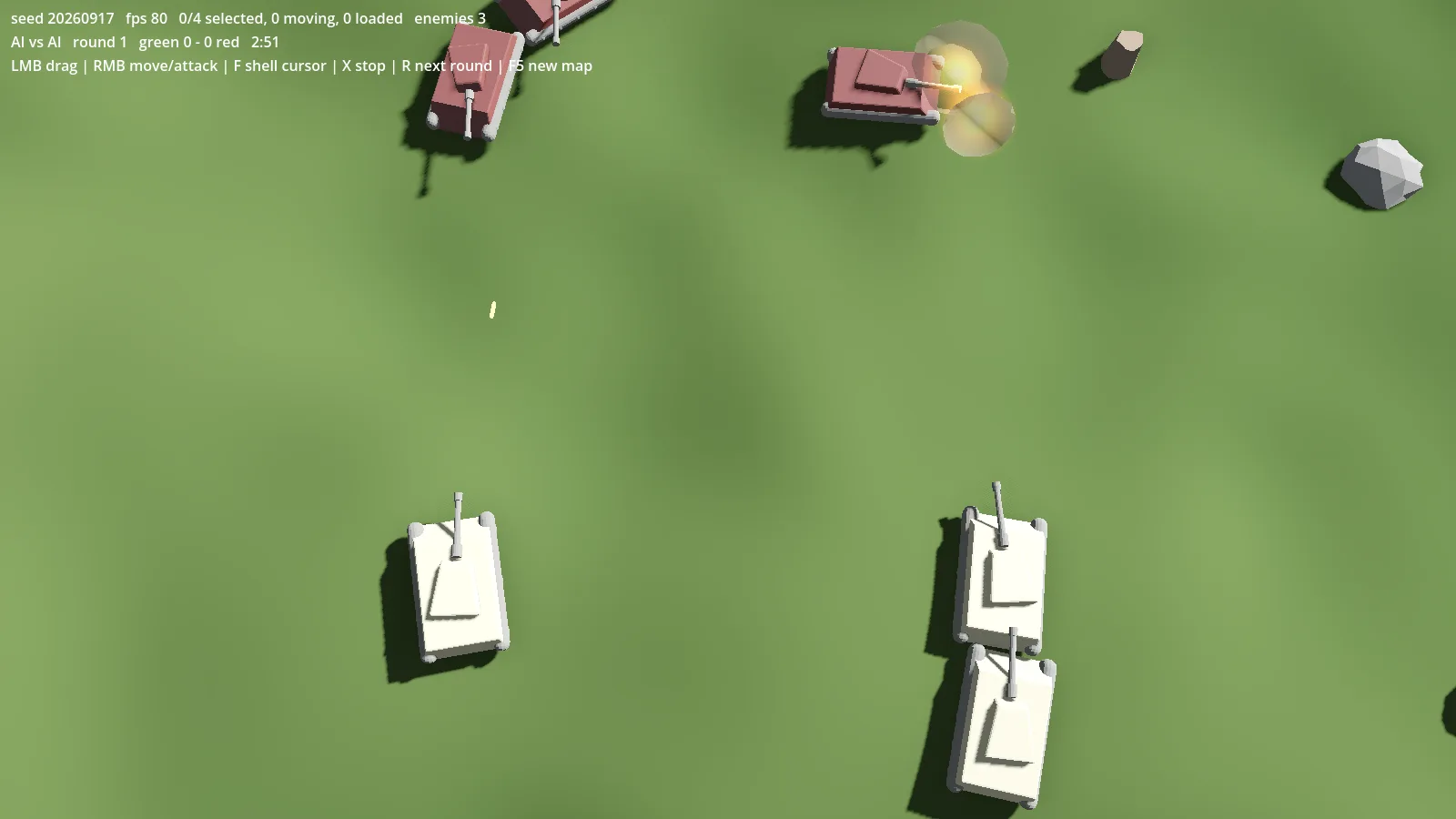
3. Shells disperse, so most of the ones fired in this fight missed;
this is the one that did not.
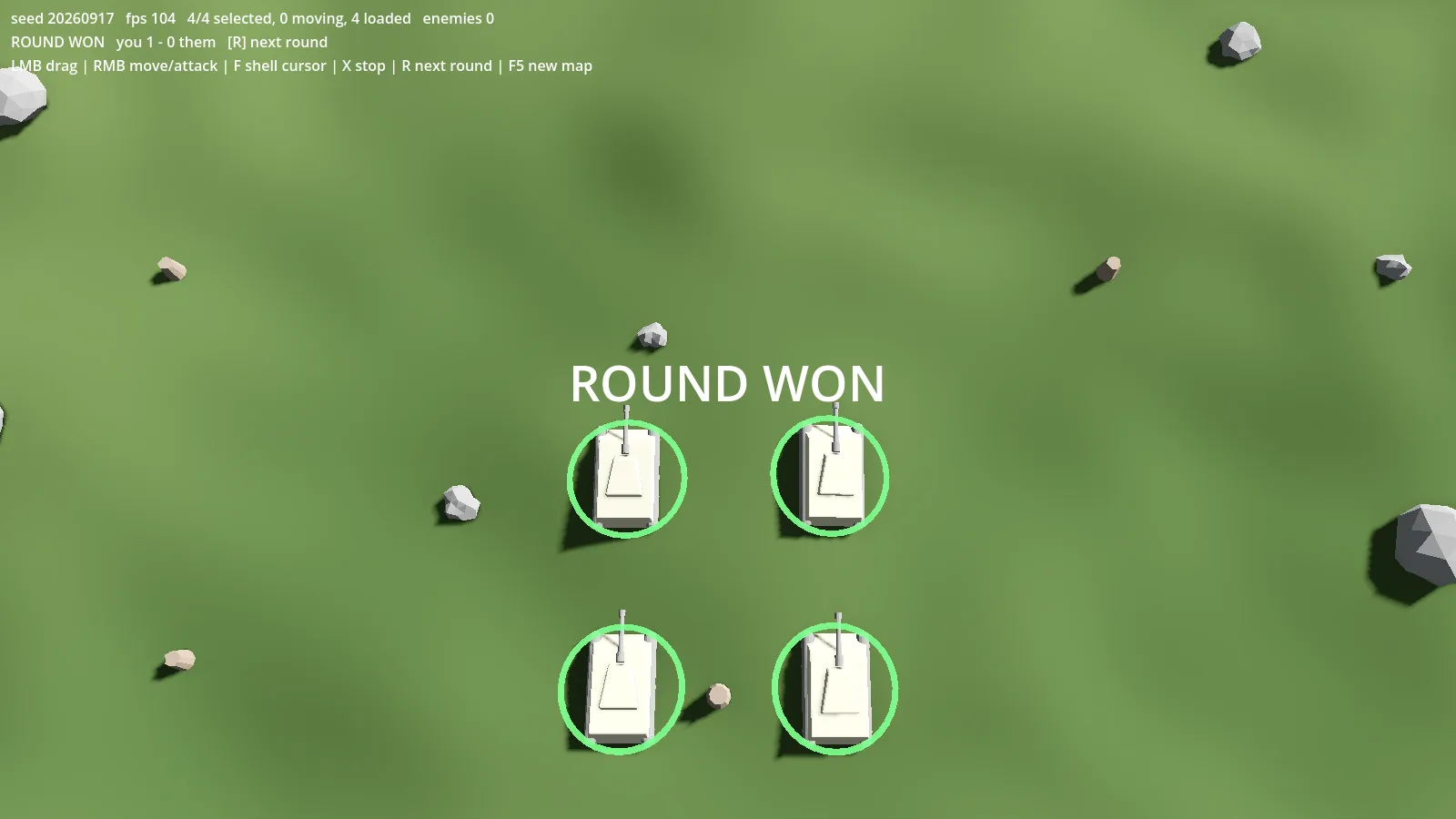
20260917 — the number the entire battlefield was generated
from, and the running score, you 1 - 0 them.
How it works
- Every map comes from a seed
- Terrain, boulder placement and the pathfinding grid all derive from one number, displayed on screen while you play. A map is therefore reproducible from its own screenshot. Press F5 for another.
- Pathfinding is a grid A*, not a navigation mesh
- Godot 4.7.2's navmesh baker returns zero polygons for every input here, verified down to a bare flat quad, so a navmesh was never an option. The grid turned out to be the better fit anyway: the terrain is already one.
- Tanks steer around each other
- They collide with one another and with boulders, and adjust course to avoid both. Avoidance is advisory rather than absolute: when it is the thing preventing an order from completing, it fades out and lets the unit reach its position.
- The opponent is simple, and that is the whole of it
-
One commander drives four tanks. It picks whichever of your tanks is nearest,
closes until it has a clear line, and fires. There is no scouting, no flanking, no
falling back when it is losing. Before v0.7.0 a tank with no shot would stop at a
fixed distance and hold there whether or not the ridge in front of it had moved —
which, since it never had, meant standing still for the rest of the round.
Running the game with
-- --ai-vs-aiputs a commander on both sides and leaves you watching; the exact command is in the README inside each zip. - Difficulty handicaps the opponent, it does not inform it
- Easy, Normal and Hard, cycled with G while you play. The setting changes what the opposition can do — how straight it shoots, how often it rethinks, how far out it opens fire — and never what it can see. It gets no more information about your tanks on Hard than on Easy. Normal is how every previous version played.
- Your tanks shoot back
- A tank with no orders picks the nearest enemy it has a clear line to and engages it, so you are never standing with loaded guns while being shot at. Your own orders override it: attack something and they stick to it. Until this version they held their fire until told, which meant the opening of every round was an ambush you had to have read the controls to survive.
- You choose where to start
- Every round opens with your tanks waiting to be placed: no clock, no movement, nobody shooting until you press Space. Right-click puts the selected tanks anywhere in your own half. If position decides the fight — and the measurements above say it does — then where you begin was always the most consequential thing in a match, and until this version it was the one thing nobody picked. It was a spawn formation. Now it is a decision.
- Rounds end, and someone wins
- A round ends when one side is wiped out, or after three minutes, in which case whoever has more health left takes it. First to three rounds takes the match. Press R for the next round. The previous build had no way to win or lose at all.
- The turret traverses at about the speed a real one did
- Roughly 25 degrees a second, so you cannot snap the gun round to meet something that has reached your flank. Getting flanked is a genuine problem rather than a cosmetic one, which is most of why position matters here at all.
- There is no targeting trick, and that was measured
- Concentrating fire on one enemy was tried across three targeting policies over 120 matches and never once beat letting each tank shoot whatever is nearest — not even with the turret traverse raised fivefold. Position decides the fight. That is worth stating plainly in both directions: it is a real finding, and it is also an admission that a whole dimension of tactics is simply absent here.
- Ground blocks shells
- Shells fly flat enough that a ridge actually stops them, and guns on both sides hold fire when the line is not clear. On a typical map about half the long sightlines are blocked by terrain, so where you sit decides what you can shoot.
- A ridge hides as well as it shields
- You see only what your tanks have a clear line to. The terrain is always drawn — there is no black shroud over the map — but units are not: a tank behind that same ridge is simply not there to you. It is the property above seen from the other side, and the opposition plays by it too. It cannot see through a hill either, it remembers where it last saw you, and it goes to look.
- A ghost marker is a memory, not a contact
- When an enemy you were watching breaks line of sight it leaves a faint marker where you last saw it, fading as the information ages. That marker is where the tank was. Reading it as a tank that is still sitting there is the mistake it invites, and the one it is worth knowing about before it costs you a round.
- Gunnery is solved, not faked
- Barrels elevate to a computed launch angle and shells arc under gravity rather than traveling in a straight line to a guaranteed hit. Shots also disperse instead of landing on the aim point, and how far they disperse is one of the things difficulty moves: the opposition connects with 8% of its shots on Easy and 30% on Hard. That is what turns an engagement into a contest rather than a formality.
- The sound is generated, not recorded
- Gun reports, shell impacts and explosions are synthesized by the game at runtime, so the download contains no audio files at all — the same arrangement as the terrain and the shell arcs. They are positional: a tank firing across the field sounds like it is across the field.
- The models are Blender, exported as glTF
- The tank and the scattered rocks were modeled in Blender and brought in as glTF. Everything else on screen — the terrain surface, the selection rings, the shells — is generated at runtime.
Controls
Deploying, before the round starts
| Input | Does |
|---|---|
| Right-click | Place the selected tanks there — anywhere in your own half |
| Space | Begin the round. Nothing moves, and no clock runs, until you press it |
Once it has started
| Input | Does |
|---|---|
| Left-drag | Select units with a box |
| Left-click | Select one unit; hold Shift to add or remove |
| Right-click ground | Move there — the group spreads into a formation |
| Right-click an enemy | Attack it — a standing order; turrets track it and keep firing |
| F | Shell the spot under the cursor; the gun holds until it is lined up |
| X | Stop, and cancel any attack order — the tank goes back to firing at whatever is nearest, rather than holding fire |
| R | Next round — or a new match once one side has won three |
| G | Cycle difficulty: Easy, Normal, Hard — it shows on the status line and carries across rounds |
| W A S D / arrows | Pan the camera |
| Q / E | Rotate |
| Mouse wheel | Zoom |
| Middle-drag | Grab the ground and drag it |
| F5 | Generate a new map |
| F2 | Toggle edge scrolling |
| Cmd-Q / Alt-F4 | Quit — there is no menu to quit from |
Edge scrolling is off by default. With it on (F2), moving the mouse near an edge of the screen pans the camera that way. Nothing is drawn on screen either way — it only changes how the camera moves.
Downloads
Version 0.9.0, released 27 Sep 2026. Free, and there is nothing to sign up for. The window opens sized and centered on whatever display you launch it on, and the interface scales with it — earlier builds opened at a fixed 1600×900 that did not fit a 1366×768 laptop at all.
-
Download for macOS
macOS
SHA-25681ff107fe176731b0e0daf19c4c07cf24048b84272f1df21e77b1bf10196a490 -
Download for Windows
Windows
SHA-256709ebcc998b7b4038a0c836fdacfa810bfe3f5ff5dc73e3092d9dbfec644d40d -
Download for Linux
Linux
SHA-256b7e25edfb5884376b077dc7219c901cc8c57e09d83b63caeda76fb380459e6a4
Verify a download before running it:
shasum -a 256 CasaziumTankCommand-macOS.zip on macOS or Linux,
certutil -hashfile CasaziumTankCommand-Windows.zip SHA256 on Windows. The
authoritative list is
SHA256SUMS.txt. For an unsigned build this is the only integrity check you have.
Your computer will block this on first launch
Both desktop builds are unsigned. That is not a sign of anything wrong with the file: code-signing certificates cost money per year, and this is a free prototype, so none was bought. Your operating system cannot tell the difference between "unsigned" and "unknown", so it stops the app and warns you. Here is how to get past it.
macOS
You will see “CasaziumTankCommand” cannot be opened because the developer cannot be verified. Right-click the app, choose Open, then click Open in the dialog that follows. You only have to do this once. From a terminal, this does the same thing:
xattr -cr /path/to/CasaziumTankCommand.appWindows
SmartScreen shows “Windows protected your PC.” Click More info, then Run anyway. The warning names the publisher as unknown, which is exactly what an unsigned build is.
Known limits
- The enemy commander is simple: it drives at your nearest tank and shoots. It does not scout, flank or retreat, and it will not surprise you twice.
- There is no menu, and no pause once a round is running, and no multiplayer — the other side is always the AI.
- A ghost marker shows a last known position and nothing else — not which way the tank was heading, and not how long ago beyond a slow fade.
- This version has been played by one person for a few minutes — which is how the return-fire problem was found, and why ghost markers exist at all: the first build with fog made enemies vanish outright, and the report back was that it felt like a bug. Whether the game is any good is still an open question, and the balance figures quoted above still come from an AI-versus-AI harness rather than from players.
- Nothing is saved. Every launch starts over with a new map.
- Quit with Cmd-Q, Alt-F4, or by closing the window.
- Both desktop builds are unsigned — see above.
Questions, or something broke? Get in touch.